
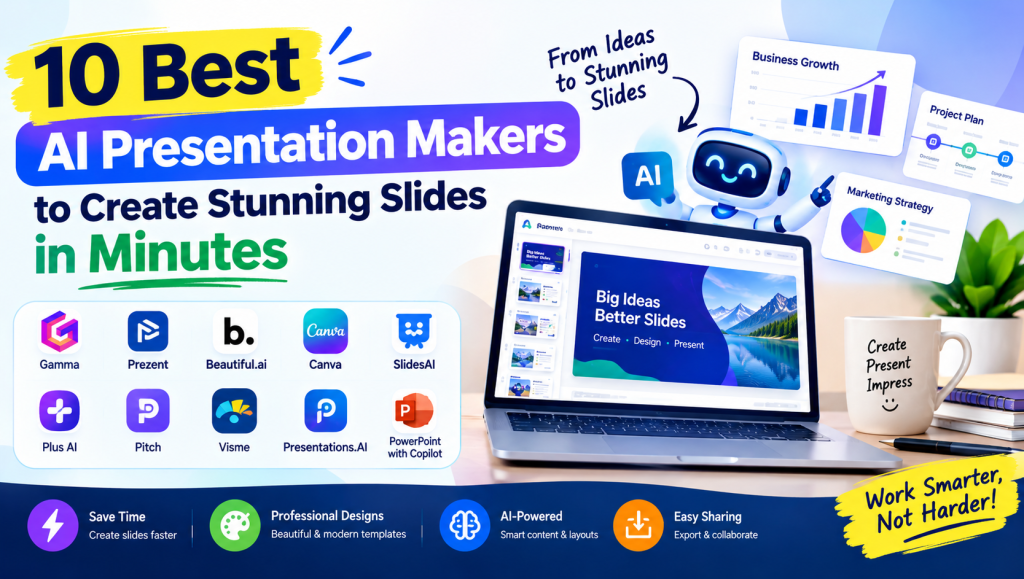
Creating professional presentations no longer requires hours of writing, designing, and formatting slides. AI Presentation Makers help students, teachers, marketers, and business professionals turn simple ideas into visually appealing presentations with less effort. These tools can generate slide outlines, suggest layouts, organize content, and create designs based on a short prompt.
Whether you need a business pitch deck, classroom presentation, marketing report, or academic slideshow, the right tool can make the process faster and easier. In this guide, we explore 10 popular presentation tools, their key features, benefits, limitations, and practical uses to help you choose the best option for your needs.
AI Presentation Makers and Presentation Creation
AI presentation tools transform written prompts, outlines, and existing documents into organized slide decks. Instead of designing every slide manually, users can describe their topic and receive a presentation draft with headings, text, images, and suggested layouts.
Modern AI Presentation Makers can simplify presentation creation for beginners and professionals alike. They help reduce repetitive work while allowing users to edit the generated content, customize the design, and create slides that communicate ideas clearly.
AI Presentation Design, Templates, and Layouts
Presentation design plays an important role in keeping an audience interested. AI-powered design features recommend color palettes, fonts, spacing, and slide layouts that make information easier to understand. Many tools also offer customizable templates for different presentation styles.
Professional slide decks should maintain visual consistency from beginning to end. With intelligent layout suggestions, branded templates, and design customization, users can create attractive slides without advanced graphic design skills. However, reviewing the final layout is essential to correct spacing or formatting problems.
AI Content Generation, Writing, and Slide Automation
Writing presentation content can be challenging, especially when a topic requires research and careful organization. AI writing features help generate outlines, summarize lengthy documents, suggest slide titles, and turn complex information into concise bullet points.
AI Presentation Makers can also help users convert prompts into structured slide content. These features are useful for brainstorming and planning, but generated facts, statistics, and references should always be checked before the presentation is shared with an audience.

AI Presentation Maker Features and Capabilities
The best tools combine content generation with practical editing and design features. Depending on the platform, users may access automatic formatting, AI-generated images, charts, infographics, speaker notes, presentation previews, and export options.
Other useful capabilities include document imports, reusable layouts, real-time collaboration, and one-click design improvements. Before choosing a tool, check whether its features match your workflow and whether the free plan provides enough flexibility for your presentation requirements.
Best AI Presentation Maker Tools and Software
Several platforms offer different approaches to presentation creation. Gamma focuses on web-based presentations and AI-assisted content generation, while Prezent emphasizes business communication. Other options include Beautiful.ai, Canva, SlidesAI, Plus AI, Pitch, Visme, Presentations.AI, and Microsoft PowerPoint with Copilot.
When comparing AI Presentation Makers, consider design quality, editing flexibility, available templates, supported file formats, pricing, and ease of use. The best tool is not necessarily the one with the most features; it is the one that helps you produce accurate, engaging slides efficiently.
10 Best AI Presentation Makers at a Glance
| Tool | Best For | Main Advantage |
|---|---|---|
| Gamma | Quick web presentations | Prompt-based slide creation |
| Prezent | Business communication | Business-focused presentation workflows |
| Beautiful.ai | Professional slide design | Smart formatting |
| Canva | Beginners and creators | Templates and design resources |
| SlidesAI | Text-to-slide creation | Google Slides workflow |
| Plus AI | PowerPoint and Google Slides users | Presentation creation within familiar tools |
| Pitch | Teams and startups | Collaboration and presentation sharing |
| Visme | Visual reports and infographics | Data visualization |
| Presentations.AI | Business and professional decks | AI-assisted presentation building |
| Microsoft PowerPoint with Copilot | Microsoft 365 users | Integration with PowerPoint workflows |
Note: Features, integrations, availability, and pricing may vary by plan and can change over time.
1. Gamma
Gamma is a useful option for people who want to turn an idea into a polished web-based presentation quickly. It generates structured content and applies coordinated layouts, making it suitable for business proposals, educational material, and project summaries.
Its web-first approach makes sharing convenient. However, users who need traditional PowerPoint formatting should check the available export options and review the final slides for compatibility.
2. Prezent
Prezent is designed primarily for business communication and professional presentation workflows. It can support teams that need consistent messaging, structured business storytelling, and presentation materials aligned with organizational standards.
It may be particularly useful for corporate reports and executive presentations. Businesses should evaluate its available plans, collaboration features, and customization options before adopting it across a team.
3. Beautiful.ai
Beautiful.ai focuses on presentation design through smart templates and automatic formatting. Its layout features help keep text, images, and other slide elements organized as users edit their content.
It is a strong option for people who prioritize visual consistency. However, users who want complete control over every design element should assess whether the available customization options meet their requirements.
4. Canva
Canva offers a broad collection of presentation templates, graphics, icons, and editing tools. Its AI-assisted features can help users develop presentation ideas and create designs for classrooms, social media, marketing, and business meetings.
The platform is accessible to beginners and supports a wider range of visual content projects. Some AI features and premium resources may require a paid subscription, so users should review the current plan details.
5. SlidesAI
SlidesAI helps users create slide content from written text, making it useful for lectures, school assignments, and workplace presentations. Its approach can reduce the time spent dividing information into individual slides.
It is worth considering for users who prefer a text-based workflow. Before starting a large project, check its current presentation limits, supported languages, and compatibility with your preferred slide software.
6. Plus AI
Plus AI helps users generate and edit presentations within supported presentation platforms, including Google Slides and PowerPoint workflows where available. This can be convenient for professionals who prefer familiar editing environments.
Its integration-focused approach may reduce the need to learn a separate presentation editor. Users should confirm which features are available for their specific platform and subscription plan.
7. Pitch
Pitch combines presentation creation with collaboration features for teams. It is useful for startups, marketing departments, and businesses that need to build, review, and share presentations together.
Shared workspaces and collaborative editing can improve team productivity. Organizations should also consider access controls, feedback processes, and whether the available design features suit their brand guidelines.
8. Visme
Visme supports presentations, infographics, charts, and other visual communication materials. It can help users present research findings, business data, and marketing information in a more understandable format.
Its visualization capabilities make it a useful choice for data-heavy content. Users should verify charts and figures carefully and ensure that the final design does not overwhelm the audience with unnecessary details.
9. Presentations.AI
Presentations.AI focuses on simplifying presentation creation through AI-assisted content and design features. It can help users develop business presentations, proposals, and other professional slide decks from initial ideas.
The platform may suit people who want a guided creation process. Before committing to a subscription, test the editing experience, export quality, and available customization features on a small presentation.
10. Microsoft PowerPoint with Copilot
Microsoft PowerPoint with Copilot can assist eligible users with presentation drafting and content development within the Microsoft 365 environment. Depending on the available features and account, it can help create presentations from prompts or existing documents.
It is especially relevant to users who already work with PowerPoint and Microsoft 365. Availability depends on subscription, licensing, and organizational settings, so check the current requirements before relying on particular AI features.
See more:AI Presentation Makers
AI Presentation Makers for Business, Education, and Marketing
Businesses can use presentation tools to prepare investor pitch decks, sales proposals, financial reports, product launches, and quarterly reviews. AI-assisted content structuring helps teams organize key messages and present information in a logical sequence.
Teachers and students can also benefit from educational slide decks, research presentations, training materials, and classroom lessons. Marketing teams can use these tools for campaign plans, client proposals, and product demonstrations while adjusting the content to suit the target audience.
Collaboration, Sharing, and Team Productivity
Collaboration features allow multiple people to work on a presentation, review slides, and exchange feedback. Shared workspaces and cloud-based editing can make it easier for remote teams to coordinate content and maintain consistent presentation standards.
Before selecting a platform, examine its version history, permission settings, commenting features, and sharing controls. These features are particularly important when presentations contain internal business information or confidential project details.
AI Presentation Maker Integrations, Import, and Export
File compatibility matters when presentations must be edited or shared across different platforms. Many presentation tools support some combination of PowerPoint files, PDF exports, image downloads, online presentation links, and document imports.
AI Presentation Makers can fit into existing workflows when they support the formats and applications your team already uses. Check whether exported files preserve fonts, charts, images, and layouts, particularly when transferring slides between web-based editors and desktop presentation software.

AI Presentation Maker Comparison and Evaluation
Comparing presentation tools requires more than looking at their advertised AI features. Consider how accurately each platform handles your topic, how attractive its layouts are, and how easily you can edit generated slides. Pricing, export formats, collaboration, and usage limits are also important factors.
A practical test is to create the same short presentation in two or three tools. Compare the content quality, design consistency, editing experience, and amount of manual correction required. This approach helps you identify which platform provides the best value for your needs.
Popular AI Presentation Maker Platforms and Competitor Terms
Gamma, Prezent, and StoryChief belong to the broader landscape of content and communication platforms, although their primary purposes differ. Gamma focuses on presentations and web-based content, Prezent emphasizes business communication, and StoryChief is better known for content marketing and publishing workflows.
When researching presentation software, distinguish dedicated slide-generation platforms from broader content creation tools. This makes comparisons more useful and helps you choose software based on actual presentation features rather than marketing claims alone.
AI Presentation Maker SEO and Related Search Terms
People searching for presentation software often use terms such as best free AI presentation tools, AI presentation maker from text, AI PowerPoint generator online, and AI slide generator from PDF. Related searches also include presentation software for students, business presentation tools, and online presentation creators.
For website content, use these related terms naturally in headings, descriptions, comparison sections, and helpful explanations. AI Presentation Makers should remain the primary focus of the article, while supporting keywords should add context rather than appear repeatedly without a clear purpose.
See more:AI Presentation Makers
Conclusion
The right presentation tool depends on your goals, budget, and preferred workflow. Gamma and Beautiful.ai are worth exploring for streamlined design, Canva offers versatile creative tools, SlidesAI supports text-based slide creation, and PowerPoint with Copilot may be convenient for eligible Microsoft 365 users. Prezent and Pitch can also be useful for professional and collaborative work.
Before making a decision, test the available features, compare the output, and review the pricing and export limitations. AI Presentation Makers can simplify slide creation, but accurate content, thoughtful storytelling, and a final human review remain essential for producing presentations that make a strong impression.
Frequently Asked Questions (FAQs)
1. What are AI Presentation Makers?
AI Presentation Makers are software tools that help users create slide decks from prompts, written text, outlines, or existing documents. Depending on the platform, they can generate content, recommend layouts, and assist with formatting.
2. What is the best AI presentation maker?
The best option depends on your requirements. Gamma is worth exploring for web-based presentations, Canva for versatile design, Beautiful.ai for smart layouts, and PowerPoint with Copilot for eligible Microsoft 365 users.
3. Can I create presentations with AI for free?
Yes, some platforms offer free plans or limited free features. However, slide-generation credits, premium templates, export options, and collaboration features may be restricted. Check each provider’s current pricing before choosing.
4. Can AI presentation tools create PowerPoint slides?
Some tools support PowerPoint-compatible exports or integrate with PowerPoint directly. Export availability and editing compatibility vary by platform and subscription, so confirm that your chosen tool supports PPTX if you need that format.
5. Are AI-generated presentations accurate and professional?
They can provide a useful starting point, but the quality depends on the tool, prompt, and source material. Review the wording, verify facts and statistics, check image rights, and refine the design before presenting or publishing the slides.

