
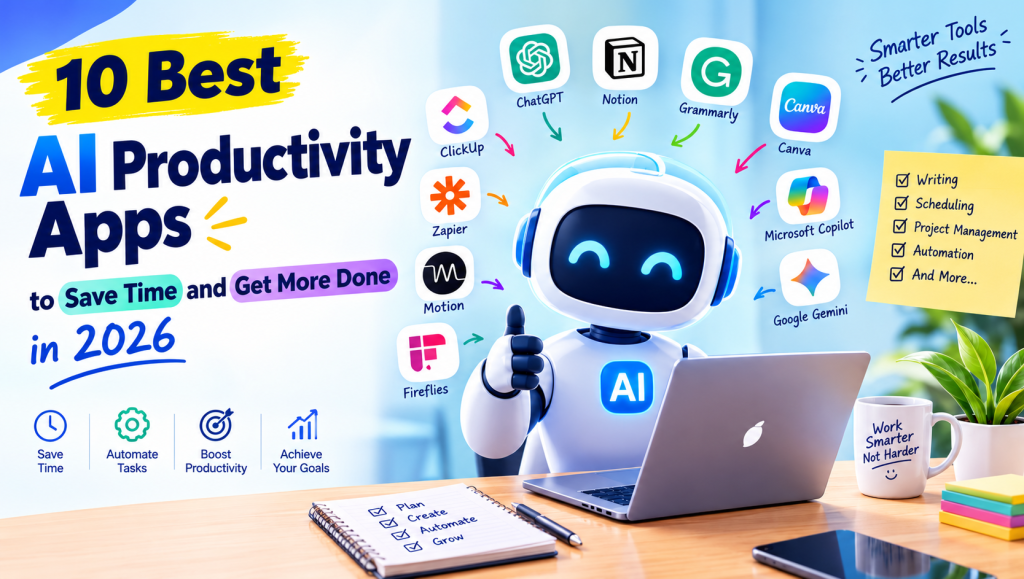
AI Productivity Apps are changing how people manage daily tasks, organize projects, write content, and complete their work faster. These tools use artificial intelligence to reduce repetitive tasks, improve time management, and help users focus on important responsibilities instead of spending hours on routine activities.
In 2026, AI Productivity Apps are useful for students, freelancers, business owners, remote workers, and professionals. From automated meeting notes to intelligent scheduling and content creation, the right applications can simplify your workflow, save valuable time, and help you get more done with less effort.
AI Productivity Apps, Tools, and Software
AI productivity software combines intelligent automation, task management, writing assistance, and digital organization in one convenient workspace. These applications help users plan their day, manage information, and complete everyday tasks efficiently. Popular options include Notion AI, Microsoft Copilot, and Google Gemini.
The best AI Productivity Apps depend on your goals and working style. Some focus on personal organization, while others support team collaboration or business operations. Choosing tools that solve your actual problems can improve efficiency without making your workflow unnecessarily complicated.
AI Writing Assistants and Content Creation Tools
AI writing assistants help users create blog posts, emails, reports, product descriptions, and social media content. Tools such as Grammarly, ChatGPT, and Claude can assist with brainstorming, proofreading, summarization, and rewriting. They are particularly useful for content creators who need to produce clear, engaging material regularly.
For bloggers and marketers, AI Productivity Apps can reduce the time spent on research and editing. However, AI-generated text should always be reviewed for accuracy, originality, tone, and search intent. Adding personal experience and reliable information makes the final content more valuable to readers.
AI Workflow Automation and Integration
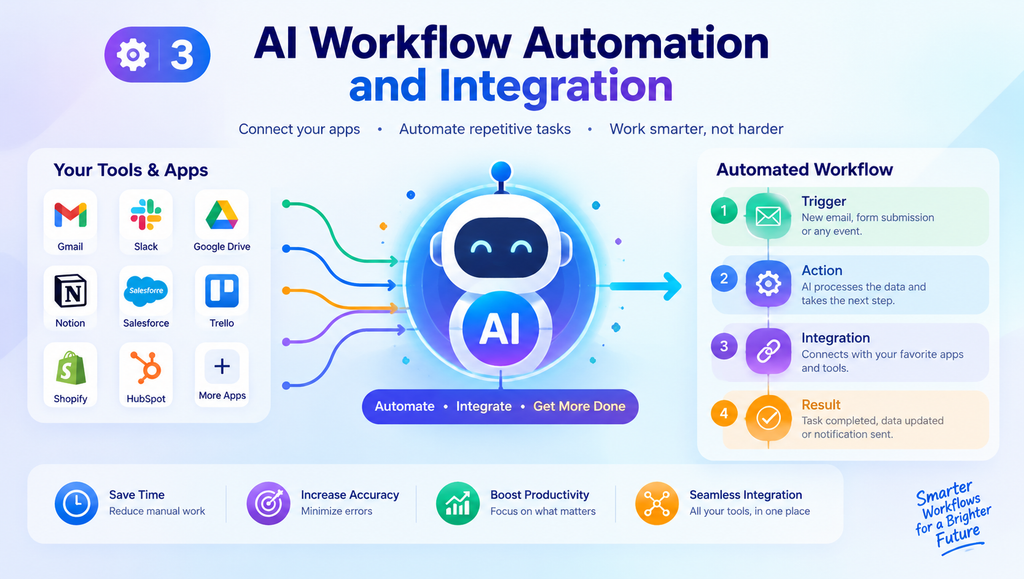
Workflow automation tools connect different applications and perform repetitive actions automatically. Zapier, Make, and n8n can help transfer information between platforms, organize incoming data, and trigger actions when specific conditions are met. This reduces manual work and minimizes errors caused by repetitive data entry.
Businesses can use AI Productivity Apps to streamline lead management, content publishing, customer communication, and internal reporting. Before automating a process, identify the steps that consume the most time. Start with simple workflows and check their results regularly to ensure everything operates as expected.
AI Scheduling, Calendar Management, and Time Optimization
AI scheduling tools help users organize meetings, protect focus time, and prioritize daily responsibilities. Applications such as Motion, Reclaim AI, and Clockwise can assist with calendar planning and time blocking, depending on their available features and subscription plans.
These AI Productivity Apps are especially useful for people managing multiple projects or working with distributed teams. A well-organized calendar can reduce scheduling conflicts and make deadlines easier to manage. Still, leave room for unexpected tasks instead of filling every available minute with planned activities.
AI Project Management and Task Management
Project management platforms help teams assign tasks, track deadlines, monitor progress, and coordinate responsibilities. ClickUp, Asana, and Notion offer AI-assisted features that may include task summaries, project planning, document assistance, and automated updates. These capabilities help teams understand what needs attention without reviewing every detail manually.
When selecting AI Productivity Apps for project management, consider team size, project complexity, integrations, and reporting requirements. A small team may prefer a simple task board, while a larger organization may need advanced permissions and workload management. Clear task ownership remains essential, even when AI assists with planning.
See more:AI Productivity Apps
AI Meeting Assistants, Transcription, and Note-Taking
AI meeting assistants can transcribe conversations, summarize discussions, and identify important action items. Tools such as Fireflies.ai, Fathom, and Avoma help users review meetings without manually writing every note. Depending on the product, users may also be able to search transcripts and share summaries with colleagues.
These AI Productivity Apps are valuable for remote workers, consultants, sales teams, and students attending online sessions. Always inform participants when recording is required and follow applicable privacy rules. Review automatically generated notes before sharing them, especially when they contain sensitive details or important business decisions.
AI Chatbots and Virtual Assistants
AI chatbots can answer questions, explain complex subjects, generate ideas, and assist with everyday problem-solving. ChatGPT, Claude, Google Gemini, and Microsoft Copilot offer different capabilities for research, writing, planning, and document-related tasks. Their usefulness depends on the specific task and the information provided by the user.
Using AI Productivity Apps as virtual assistants can help organize a busy day or create a starting point for a difficult project. Give clear instructions, include relevant context, and specify your preferred output. For important decisions, verify factual claims instead of treating every generated answer as completely reliable.
AI Email Management and Communication Tools
Email management tools help users draft professional messages, summarize long conversations, organize inboxes, and prepare replies. AI features in Gmail and Microsoft Outlook can support email writing and communication, while specialized services such as Shortwave offer additional inbox management capabilities.
For busy professionals, AI Productivity Apps can reduce the time spent responding to routine messages. Use them to prepare first drafts, identify key requests, and create polite follow-ups. Before sending an email, check names, dates, attachments, tone, and confidential information to avoid preventable communication mistakes.
AI Presentations, Documents, and Office Productivity
Presentation and office tools can turn ideas, notes, and documents into polished working materials. Gamma helps create presentations and visual documents, Canva offers design and AI-assisted content features, and Microsoft 365 Copilot supports selected document, spreadsheet, and presentation workflows.
These AI Productivity Apps can speed up report writing, slide creation, spreadsheet analysis, and document editing. However, attractive formatting does not guarantee correct information. Check figures, sources, charts, and important claims before sharing a presentation or report with clients, teachers, or colleagues.
AI Research, Data Analysis, and Information Management
Research-focused AI tools help users find information, summarize documents, compare sources, and understand datasets. Depending on the tool, features may include document analysis, intelligent search, data extraction, visualization, and research summaries. These capabilities can make large amounts of information easier to explore.
When using AI Productivity Apps for research, prioritize trustworthy sources and verify important claims against original documents. For data analysis, inspect the input data and check calculations before making decisions. AI can identify useful patterns, but incomplete information or incorrect assumptions may lead to misleading conclusions.
AI Productivity Apps for Business and Teams
Businesses can use AI to improve customer support, marketing, sales operations, project coordination, and internal communication. CRM platforms and business automation software can help manage leads, prepare customer responses, and summarize operational information. The best solution depends on the company’s existing systems and business objectives.
For small businesses, AI Productivity Apps can provide practical support without requiring a large team. Start with one measurable goal, such as reducing response times or simplifying weekly reporting. Monitor costs, employee feedback, and actual results before expanding AI adoption across the organization.
AI Productivity Apps for Students and Everyday Tasks
Students can use AI tools to summarize notes, explain difficult concepts, prepare revision schedules, and generate practice questions. General assistants such as ChatGPT and Gemini can support learning when students provide their subject, level, and specific learning objectives.
For everyday organization, AI Productivity Apps can help create to-do lists, plan routines, organize personal projects, and manage study sessions. Use these tools to understand material rather than simply copying answers. Checking information against textbooks and course instructions helps maintain accuracy and academic integrity.
Benefits of AI Productivity Tools
One major benefit of AI productivity tools is the time saved on repetitive activities. Automated summaries, suggested email drafts, task reminders, and document assistance can reduce administrative work. These features may also improve consistency and allow users to spend more time on creative or strategic responsibilities.
AI Productivity Apps can also support better collaboration and decision-making by making information easier to access. However, the results depend on how the tools are implemented. Clear processes, realistic expectations, and human review are important for improving efficiency without sacrificing quality.
AI Productivity Apps: Features and Capabilities
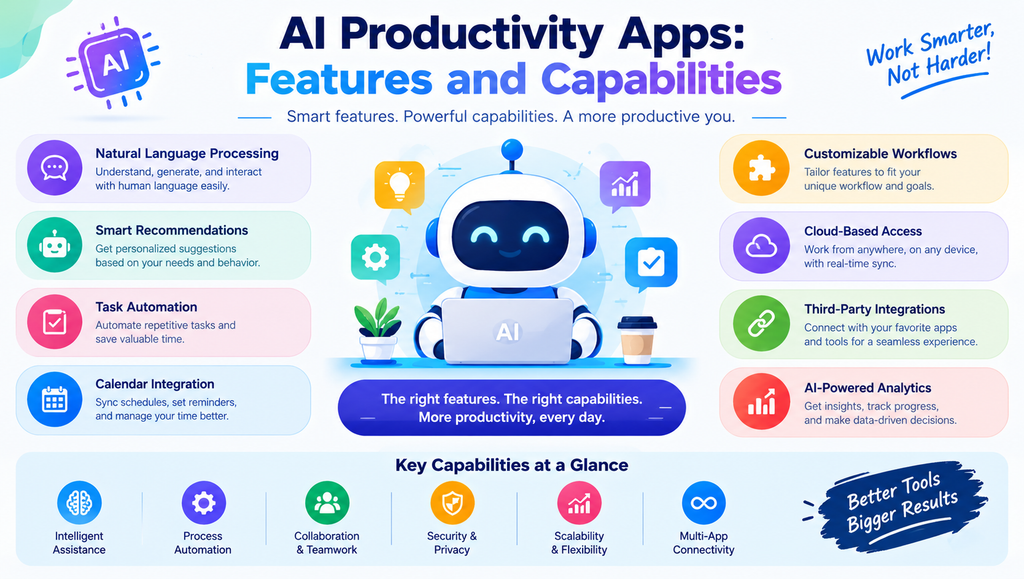
Common features include natural language processing, intelligent recommendations, automated summaries, task prioritization, calendar integration, and customizable workflows. Some applications also offer AI agents, analytics dashboards, document search, and connections with third-party services. Not every tool provides all these capabilities.
Before choosing AI Productivity Apps, examine their integrations, ease of use, mobile access, and automation limits. Consider whether the application works with your existing calendar, email, documents, and project management systems. A useful tool should fit naturally into your routine rather than create another complicated process to manage.
Free AI Productivity Apps, Pricing, and Comparisons
Many productivity platforms provide free plans or limited trials, while advanced features may require paid subscriptions. Free options can be sufficient for individuals with basic needs, but businesses may require higher usage limits, team administration, enhanced integrations, or additional security controls.
The following table compares ten popular AI Productivity Apps by their primary use. Features, free access, and pricing can change, so check each provider’s official website before subscribing.
| Tool | Best For | Main Benefit |
|---|---|---|
| ChatGPT | Writing and brainstorming | Flexible general assistance |
| Notion AI | Notes and knowledge management | Organized workspace |
| Grammarly | Writing improvement | Grammar and clarity support |
| Motion | Scheduling and planning | Task and calendar organization |
| ClickUp | Project management | Team task coordination |
| Fireflies.ai | Meeting notes | Transcription and summaries |
| Zapier | Workflow automation | Connects different apps |
| Canva | Visual content | Design and presentation creation |
| Microsoft Copilot | Office productivity | Assistance in supported Microsoft apps |
| Google Gemini | Research and everyday tasks | General assistance across supported Google workflows |
When comparing AI Productivity Apps, look beyond the advertised price. Evaluate usage limits, privacy policies, supported integrations, and how much time a tool actually saves. A paid subscription is worthwhile only when its benefits justify the ongoing cost.
See more:AI Productivity Apps
AI Productivity Apps: Security, Privacy, and Limitations
Privacy should be an important consideration when using AI software for personal or professional work. Review data retention policies, access permissions, encryption details, and available administrative controls. Avoid entering passwords, payment information, confidential client records, or sensitive business documents into tools without appropriate authorization.
Even reliable AI Productivity Apps can generate incorrect information, misunderstand instructions, or produce incomplete summaries. Human oversight remains necessary for financial reports, business decisions, research, and important communications. Use approved tools, verify critical outputs, and keep sensitive information protected throughout your workflow.
1. What are AI Productivity Apps?
AI Productivity Apps are software applications that use artificial intelligence to help users complete tasks more efficiently. They can support writing, scheduling, research, meeting summaries, project management, and workflow automation.
2. Which AI productivity tool is best in 2026?
The best option depends on your needs. ChatGPT is useful for general assistance, Notion AI supports organized notes and knowledge management, Zapier helps automate workflows, and ClickUp supports project management.
3. Are there free AI Productivity Apps?
Yes. Several platforms offer free plans or limited free access. Availability and usage limits vary, so compare the current plans before choosing a tool for regular work.
4. Can AI productivity tools help students?
Yes. Students can use AI tools to summarize notes, explain concepts, create revision questions, organize study schedules, and brainstorm project ideas. They should verify information and follow their institution’s academic integrity policies.
5. How do I choose the right AI productivity software?
Identify your main challenge first, such as email overload, poor scheduling, or repetitive administrative tasks. Then compare features, pricing, privacy protections, integrations, and ease of use. Test a suitable option and measure whether it genuinely improves your workflow.

