
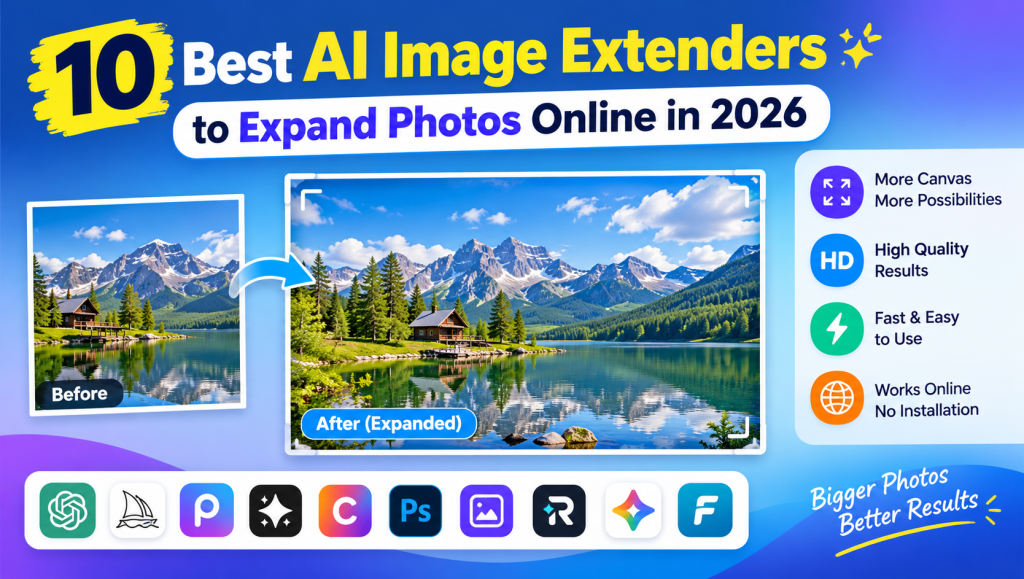
AI Image Extender tools make it easy to expand photos beyond their original borders without stretching the subject or losing the natural look of an image. These tools use artificial intelligence to generate additional backgrounds, extend scenery, and adjust image dimensions for different creative needs.
Whether you are a content creator, blogger, photographer, or online seller, an AI Image Extender can help you transform tightly cropped pictures into professional-looking visuals. In this guide, we will explore 10 useful tools, their features, common applications, and tips for choosing the right option in 2026.
AI Image Extender, Image Expander, and Uncrop Tools
An AI Image Extender uses artificial intelligence to create new content around an existing photo. Unlike traditional resizing, which stretches pixels or adds empty space, an image expander analyzes the original scene and generates additional details that fit the surrounding colors, textures, and objects.
Popular options include Pixelcut Uncrop, Picsart AI Image Extender, Adobe Firefly, and Canva Magic Expand. These tools help users extend image borders, correct tight framing, and create different compositions. A photo uncrop AI tool is particularly useful when the original subject looks too close to the edges.
AI Outpainting, Generative Expand, and Generative Fill
AI outpainting extends an image beyond its original boundaries by generating new visual information. Generative Expand performs a similar task, while generative fill is generally used to add, replace, or remove content within a selected area. Understanding these differences helps you choose the correct editing feature.
An AI Image Extender can use surrounding details to produce a continuation of a landscape, room, or portrait background. Some tools also accept text prompts, allowing users to describe the desired result. For example, you could extend a beach photograph by adding more ocean and sky while keeping the original subject in place.
Image Background Extension and Canvas Expansion
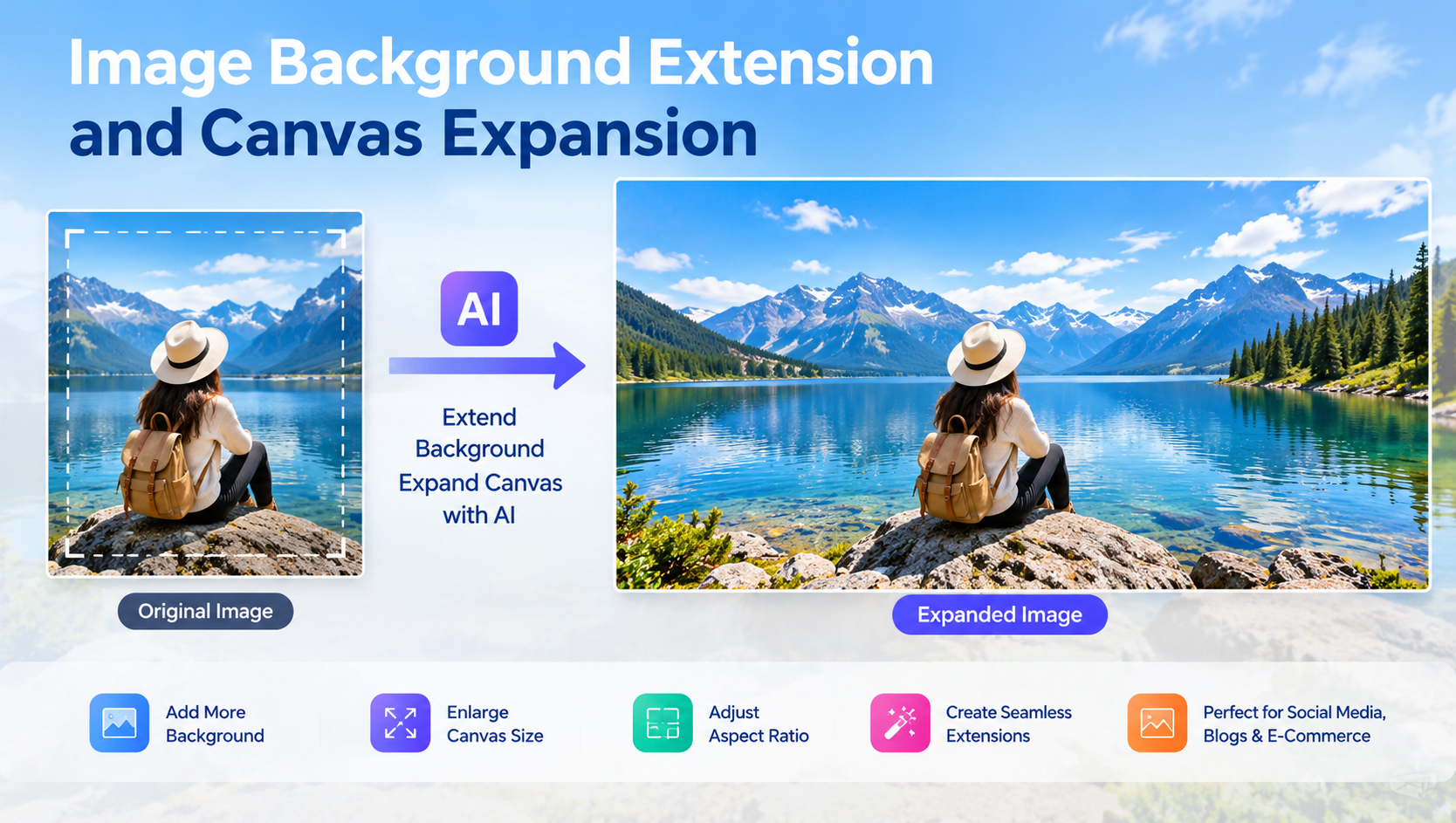
Image background extension is useful when a photo needs more space around its main subject. An AI background extender can generate additional scenery on the left, right, top, or bottom of an image. This makes it easier to create balanced compositions without cropping important details.
An AI Image Extender can also help you add space for headlines, product descriptions, or promotional text. For example, a landscape photograph can become a website hero banner by extending the sky and scenery. For natural results, use images with clear backgrounds and expand the canvas gradually.
Aspect Ratio, Image Dimensions, and Resizing
Aspect ratio describes the relationship between an image’s width and height. Common formats include 1:1 for square posts, 16:9 for widescreen content, 4:5 for portrait social posts, and 9:16 for vertical stories and videos. Choosing the correct dimensions helps your content fit its intended platform.
An AI Image Extender can convert a square image into a landscape composition or adapt a portrait photo for a wider banner. Unlike ordinary resizing, it generates additional surroundings instead of simply stretching the existing pixels. Always check the final dimensions before downloading, especially when creating website banners or social media graphics.
Image Quality, Resolution, and Realistic Results
Image quality depends on the original photograph, the AI model, and the amount of expansion required. High-resolution images usually provide more useful details for matching textures, lighting, perspective, and colors. However, even advanced tools can produce unrealistic objects or inconsistent patterns around complicated edges.
To get better results, begin with a clear photograph and expand only the necessary areas. Review the generated edges at full size before using the image professionally. A reliable AI Image Extender should preserve the important details of the original picture while producing natural-looking transitions between existing and generated content.
AI Image Extender for Social Media and Digital Content
Social media platforms use different image formats, which can make repurposing content challenging. An Instagram post might need to become a vertical Story, while a landscape photograph may need to fit a YouTube thumbnail or a LinkedIn banner. Image expansion helps adapt one photograph to multiple layouts.
An AI Image Extender can support bloggers, marketers, and content creators who regularly publish visual content. You can extend backgrounds for Pinterest pins, Facebook covers, TikTok graphics, and website featured images. Before publishing, check the platform’s current image specifications and make sure that important subjects and text remain visible.
AI Image Extender for Product Photography and E-Commerce
Product photography often requires clean backgrounds and carefully balanced compositions. An image that looks good in a square product listing may not fit a wide promotional banner. AI-powered expansion can create extra background space while keeping the main product in its original position.
An AI Image Extender is useful for Etsy shops, Shopify stores, advertising graphics, and product catalogs. Sellers can create room for promotional text or adapt photographs to different marketing layouts without arranging another photoshoot. However, inspect generated areas carefully and never allow AI to change important product details, labels, or features.
AI Image Extender for Portraits, Landscapes, and Personal Photos
Portraits sometimes have limited space above the head or around the shoulders. An AI portrait extender can generate additional background space to create a more balanced photograph. Landscape expansion can similarly extend the sky, water, mountains, or foreground when a picture feels too tightly framed.
An AI Image Extender can also help improve travel photographs, wedding pictures, family portraits, and profile images. It generates plausible surroundings rather than recovering the exact original content that was cropped away. For personal photographs, compare the final result with the original to ensure faces and important details remain consistent.
How to Use an AI Image Extender
Most online tools follow a simple process. Upload a JPG, PNG, or another supported image format, then choose the desired aspect ratio or adjust the canvas manually. Depending on the tool, you may also enter a prompt describing the background you want to generate.
Next, generate the expanded image and review the available variations. If the edges look unnatural, reduce the expansion area or try a more specific prompt. Once satisfied, download the result in the required resolution. This workflow makes an AI Image Extender accessible even to beginners who have limited photo-editing experience.
Free AI Image Extender, Online Tools, and Pricing
Many image expansion tools provide free trials, limited credits, or restricted free generations. Pixelcut offers limited free uncropping, while Picsart and Adobe Firefly provide ways to try their expansion features. Exact allowances, supported formats, and subscription terms can change, so check the official website before starting a project.
A free AI Image Extender may be sufficient for occasional social media posts or personal photographs. Frequent creators may benefit from paid plans with more generations, higher-resolution exports, or additional editing features. Compare the total cost, watermark policy, download limits, and privacy terms instead of choosing a service based only on its free offer.
10 Best AI Image Extenders to Try in 2026
The following comparison highlights useful tools for different needs. This is a practical selection rather than a controlled ranking based on identical image tests.
| Tool | Best for | Key advantage |
|---|---|---|
| 1. Pixelcut Uncrop | Quick photo expansion | Simple online workflow |
| 2. Picsart AI Image Extender | Social media images | Expansion with broader editing tools |
| 3. Adobe Firefly | Creative image editing | Prompt-guided generative expansion |
| 4. Adobe Photoshop | Professional editing | Expansion alongside detailed editing |
| 5. Canva Magic Expand | Marketing designs | Fits into a design workflow |
| 6. Fotor | Everyday photo editing | Accessible online editing tools |
| 7. Photoroom | Product photography | E-commerce-focused image editing |
| 8. Freepik | Creative projects | Image generation and editing features |
| 9. Runway | Creative visual work | AI-assisted image workflows |
| 10. OpenArt | Prompt-based expansion | Customizable AI image generation |
Which tool should you choose?
Pixelcut is a useful starting point for quick uncropping, while Picsart is convenient for users who also need other creative editing features. Adobe Firefly and Photoshop are worth considering for more detailed editing workflows. Canva Magic Expand can be convenient when the final image will become a social media post or marketing design.
For online sellers, Photoroom may suit product-focused workflows. Fotor, Freepik, Runway, and OpenArt offer other creative options worth exploring. Before selecting any AI Image Extender, test it with your own photographs because results can vary depending on the subject and background.
Best Practices, Limitations, and Common Image Expansion Problems
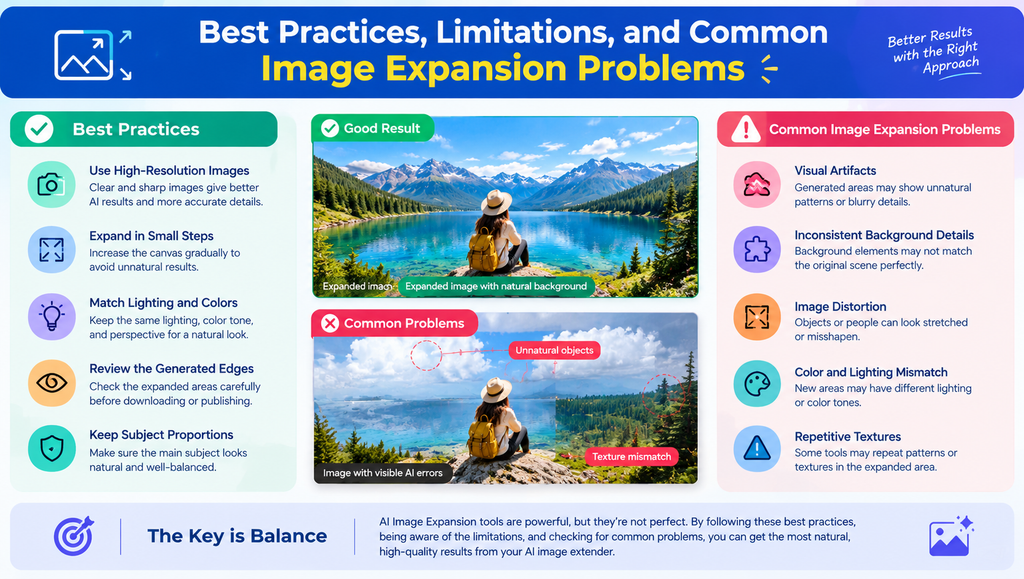
AI expansion does not always produce perfect results. Complex patterns, crowded backgrounds, human hands, reflections, and architectural details can be difficult to reproduce accurately. Some tools may also generate repeated textures, unexpected objects, or inconsistent shadows. A larger expansion area can increase the chance of visible errors.
For better results, use a sharp original image and expand it in small steps. Check lighting, perspective, colors, and subject proportions before publishing. An AI Image Extender should support your editing process, not replace quality control. If the result looks artificial, try another variation or refine the prompt. Also, avoid uploading confidential images unless the service’s privacy policy meets your needs.
AI Image Extender Alternatives and Related AI Tools
Image expansion is only one part of modern AI photo editing. AI background removers can isolate subjects, image enhancers can improve clarity, and upscaling tools can increase resolution. Object removers and background replacers are useful when the existing scene contains unwanted elements or needs a different setting.
Other options include Adobe Firefly Generative Expand, Pixelcut Uncrop, Picsart AI Image Extender, Photoshop Generative Expand, and Canva Magic Expand. These features overlap, but their workflows differ. Choose an AI Image Extender for adding space beyond the frame, a background remover for isolating a subject, and an image enhancer when improving sharpness is your primary goal.
See more:AI Image Extender
Conclusion
An AI Image Extender can make photo editing faster by creating additional space around a subject and adapting images to different formats. The best choice depends on your budget, preferred editing workflow, image quality requirements, and whether you need occasional or frequent expansions.
Start by testing a few free options with the same photograph. Compare how well each tool handles lighting, background details, and the original subject. With the right tool and careful review, you can create more flexible visuals for blogs, social media, personal projects, and online stores.
1. What is an AI Image Extender?
An AI Image Extender is a tool that uses artificial intelligence to generate new content beyond the original borders of a photograph. It can add background space, adjust composition, and help images fit different aspect ratios without stretching the original subject.
2. Which is the best AI Image Extender in 2026?
The best option depends on your needs. Pixelcut is useful for quick uncropping, Adobe Firefly supports prompt-guided expansion, Picsart combines expansion with other creative tools, and Canva Magic Expand is convenient for design projects.
3. Can I extend an image online for free?
Yes. Some online tools offer free trials or limited image expansions. Pixelcut, Picsart, and Adobe Firefly provide ways to try their tools, but free usage limits and available features may vary. Check each official website for current terms.
4. Does AI image expansion reduce photo quality?
It does not necessarily reduce quality, but results depend on the original image and the AI model. Generated areas may contain visual errors or inconsistent details. Use a high-resolution image and inspect the expanded edges before downloading or publishing.
5. Is AI image expansion suitable for commercial use?
AI image expansion can be useful for advertisements, product photographs, website banners, and other commercial content. However, you should review the tool’s licensing terms, confirm that you have permission to use the original image, and check the final result for inaccuracies before publishing.

