
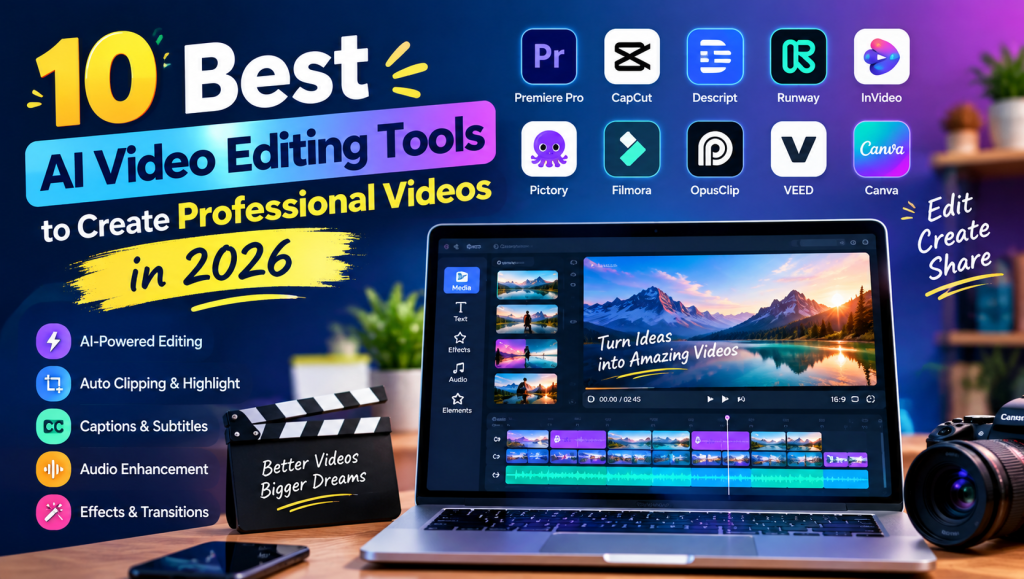
AI Video Editing Tools are changing how creators, businesses, marketers, and YouTubers produce professional videos. These tools help users edit clips, generate captions, remove background noise, add effects, and create engaging content with less manual effort. Whether you are a beginner or an experienced editor, the right software can simplify your video production workflow.
The best AI Video Editing Tools also make it easier to turn long recordings into short clips, create videos from scripts, and prepare content for YouTube, TikTok, and Instagram. In this guide, we explore 10 popular tools, their main features, benefits, and limitations to help you choose the right option in 2026.
AI Video Editing Tools and Software
AI Video Editing Tools use artificial intelligence to simplify common editing tasks and improve video production. Popular options include Adobe Premiere Pro, CapCut, Descript, Runway, and Filmora. Each platform offers different features, from professional timeline editing to automatic captions and AI-generated visuals.
Modern AI video editing software can analyze footage, identify important scenes, improve audio, and help users organize clips. Some platforms work directly in a browser, while others require desktop software. Beginners may prefer a simple online AI video editor, whereas professionals may need advanced controls for color grading, sound mixing, and multitrack editing.
AI Video Editing Features and Automation
AI Video Editing Tools offer automation features that reduce the time required to complete repetitive editing tasks. Automatic video trimming, smart scene detection, silence removal, and AI-powered timeline editing help creators prepare footage without reviewing every second manually.
Some editors also support text-based video editing, allowing users to remove unwanted sections by editing a transcript. Prompt-based video editing and intelligent transitions can further simplify production. However, automated results should always be reviewed because the software may remove important moments or select scenes that do not match the intended message.
AI Video Generation and Content Creation
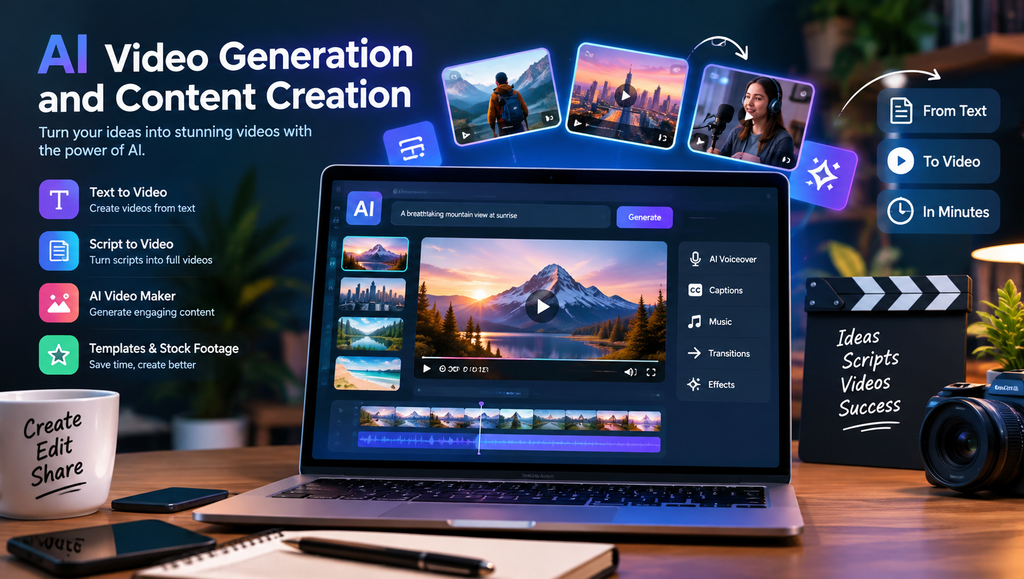
AI Video Editing Tools are useful for creating new content as well as improving existing recordings. Text-to-video tools can transform written prompts into visual scenes, while script-to-video software combines narration, stock footage, subtitles, and templates to create complete videos.
Platforms such as InVideo AI, Runway, and Pictory provide different approaches to AI-assisted video creation. Businesses can use these solutions to produce promotional videos, product demonstrations, and explainers. Educators can also develop learning materials, while creators can experiment with faceless video creation and automated storytelling.
The quality of generated footage depends on the prompt, available features, and selected plan. For professional results, users should check visual consistency, narration accuracy, and the licensing terms for generated assets.
AI Video Clipping and Short-Form Video Editing
AI Video Editing Tools make it easier to repurpose long recordings into short, engaging videos. An AI clip generator can analyze podcasts, interviews, webinars, and YouTube videos to identify interesting moments and prepare clips for social media platforms.
These features are particularly useful for YouTube Shorts, Instagram Reels, and TikTok. Tools such as OpusClip and Descript help creators identify highlights and streamline clip production. Automatic reframing can also position speakers correctly in vertical videos.
Although AI can suggest promising moments, not every suggested clip will be engaging. Review each clip for context, pacing, captions, and an effective opening before publishing it.
AI Captions, Subtitles, and Text Editing
AI Video Editing Tools can automatically convert spoken words into subtitles using speech recognition technology. These features reduce the need for manual transcription and make videos easier to understand, especially for viewers watching without sound.
Many platforms provide customizable captions, animated text, transcript editing, and multilingual subtitle options. Descript is known for transcript-based editing, while CapCut offers accessible caption and text styling features. Depending on the platform, creators may also adjust subtitle timing, font size, colors, and placement.
Automatic transcription is not always perfect. Names, technical terms, accents, and background noise can cause errors, so reviewing captions before export is essential for accessibility and professionalism.
AI Audio Editing, Voiceovers, and Sound Enhancement
AI Video Editing Tools can improve sound quality by reducing background noise, cleaning dialogue, removing unwanted silence, and balancing audio levels. These capabilities are valuable for podcasts, online courses, interviews, and business presentations recorded in ordinary environments.
Some video editors also include AI voiceover generation, text-to-speech narration, and multilingual dubbing. Creators can add background music, synchronize dialogue, and improve speech clarity without using several separate applications. Dedicated audio tools may provide additional control when advanced sound cleanup is required.
Always review the final audio with headphones or quality speakers. Check that narration sounds natural, music does not overpower speech, and any synthetic voice or cloned voice is used with appropriate permission.
AI Video Effects, Transitions, and Visual Enhancement
AI Video Editing Tools provide visual features that help creators improve the appearance of their footage. Depending on the application, these may include automatic color correction, background removal, object removal, image stabilization, motion tracking, and intelligent cropping.
AI-powered effects can also help users create cinematic transitions, animated graphics, and more consistent visual styles. Runway offers generative video capabilities, while Adobe Premiere Pro provides professional editing tools alongside AI-assisted features.
However, excessive effects can make videos look artificial or distracting. Use transitions, filters, and motion graphics only when they support the story. Check edges around removed backgrounds, movement between frames, and color consistency before delivering the finished project.
Social Media Video Editing and Content Repurposing
AI Video Editing Tools help creators prepare videos for multiple social media platforms without rebuilding every project from scratch. Automatic resizing, vertical video editing, caption generation, and branded templates make it easier to adapt content for different audiences.
For example, a business can turn a long product demonstration into several short promotional clips. A YouTuber can create vertical highlights, while a marketing team can adapt the same campaign for Facebook, Instagram, LinkedIn, and TikTok.
Different platforms may require different aspect ratios, durations, and presentation styles. Use 9:16 for most vertical short-form videos, 16:9 for conventional widescreen videos, and 1:1 when a square format suits the intended placement. Check each platform’s current publishing requirements before exporting.
AI Video Editing Tools for YouTubers, Creators, and Businesses
AI Video Editing Tools serve a wide range of professional needs. YouTubers can use them to edit vlogs, gaming videos, interviews, and tutorials. Podcasters can extract highlights, while educators can produce lessons and online course materials more efficiently.
Small businesses can create product demonstrations, promotional videos, training materials, and advertisements. Marketing teams may benefit from branded templates and reusable workflows, while real estate professionals can produce property walkthroughs and listing videos.
The best software depends on the type of content being produced. A solo creator may prioritize affordability and speed, while a production team may need collaboration features, detailed timeline controls, and reliable export settings. Before committing to a subscription, test the editor with a real project similar to your usual work.
AI Video Editing Workflow and Productivity
AI Video Editing Tools can improve productivity by automating repetitive steps throughout the editing process. Features such as automatic take selection, footage organization, silence removal, and batch processing help creators manage larger projects more efficiently.
A practical workflow begins with importing and organizing footage, followed by rough editing, caption generation, audio cleanup, visual enhancement, and final quality checks. Cloud-based platforms can also support collaboration by allowing team members to review projects and share revisions.
Automation does not remove the need for planning. Maintain organized project files, keep backup copies of important footage, and establish consistent naming conventions. For larger projects, create reusable templates and review the final video before approving exports.
AI Video Editing Integrations, Export, and Compatibility
AI Video Editing Tools differ in their supported file formats, integrations, and export options. Some provide browser-based editing and cloud storage, while others work with local media files and professional desktop workflows.
Before selecting a platform, check whether it supports MP4 export, HD or 4K output, your preferred aspect ratios, and the devices you use. Professionals may also need compatibility with Adobe Premiere Pro, DaVinci Resolve, or Final Cut Pro workflows, depending on the software and available integrations.
Export settings affect both video quality and file size. Choose a resolution that matches the source footage and destination platform. Review frame rate, audio quality, compression, and subtitle placement before publishing. Cloud storage and collaboration features may also be useful when multiple people work on the same project.
Best AI Video Editing Tools: Pricing and Comparison
AI Video Editing Tools range from free applications to professional subscription software. Free plans are useful for learning and testing features, but they may include watermarks, export restrictions, limited credits, or reduced access to advanced capabilities.
The following comparison highlights 10 popular options. Features and plan restrictions can change, so check each provider’s current pricing page before purchasing.
| Tool | Best For | Key Features | Pricing Approach |
|---|---|---|---|
| Adobe Premiere Pro | Professional editors | Timeline editing, AI-assisted workflows | Paid subscription |
| CapCut | Social media creators | Captions, effects, quick edits | Free and paid options |
| Descript | Podcasts and interviews | Transcript editing, audio cleanup | Free and paid options |
| Runway | Generative video | AI video generation, creative tools | Free access and paid plans |
| InVideo AI | Marketing videos | Script-to-video, templates | Free access and paid plans |
| Pictory | Faceless videos | Script conversion, stock footage | Paid plans; availability may vary |
| Filmora | Beginners and creators | Effects, AI-assisted editing | Free trial and paid licenses |
| OpusClip | Short-form clips | Highlight detection, repurposing | Free and paid options |
| VEED | Browser-based editing | Captions, online editing, effects | Free and paid options |
| Canva | Simple branded videos | Templates, design, video editing | Free and paid options |
For beginners, CapCut and Canva are convenient starting points. Descript suits transcript-based editing, while OpusClip is useful for repurposing long recordings. Professional editors may prefer Premiere Pro, and creators interested in generative visuals can explore Runway.
When comparing AI Video Editing Tools, evaluate export quality, usage limits, watermark policies, commercial rights, and the cost of features you will actually use. The cheapest option is not always the most economical if it creates additional editing work.
See more:AI Video Editing Tools
AI Video Editing Limitations, Privacy, and Best Practices
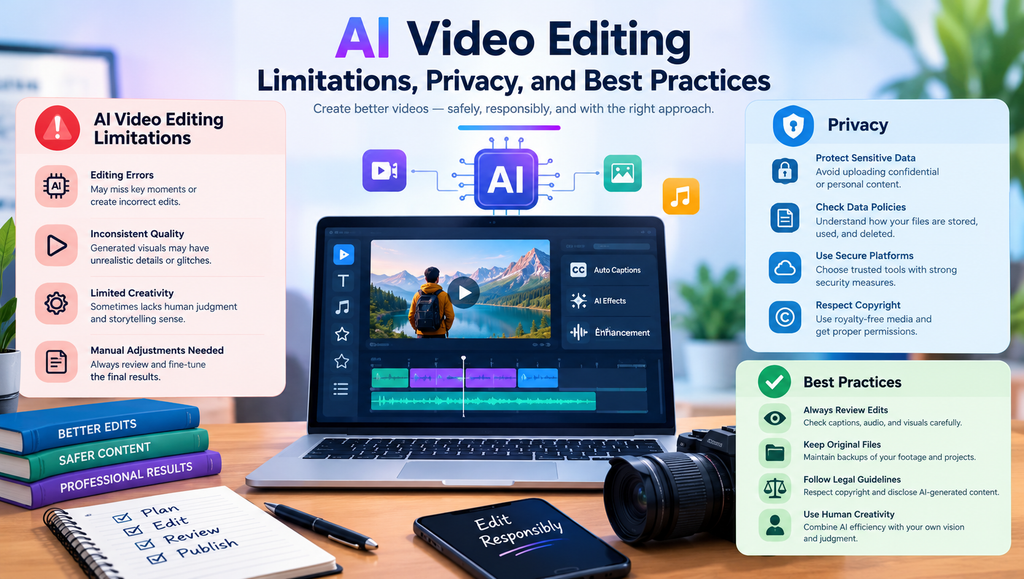
AI Video Editing Tools can make mistakes when identifying scenes, generating captions, improving audio, or producing visuals. Automated edits may remove meaningful pauses, misinterpret dialogue, or create unnatural transitions. Generated footage may also contain inconsistent details or visual errors.
Privacy is another important consideration. Before uploading confidential recordings, client interviews, or unreleased business content, review the provider’s data handling, storage, retention, and deletion policies. Avoid uploading sensitive material unless the platform and your permissions are suitable for that use.
For professional results, combine automation with human review. Verify subtitles, check music and footage licenses, maintain brand consistency, and inspect the final export on different devices. If synthetic voices or generated visuals are used, follow applicable disclosure requirements and respect the rights of others.
AI Video Editing Trends and Future Developments
AI Video Editing Tools are continuing to evolve as generative video, automated storytelling, and intelligent creative assistants improve. Future workflows may allow users to describe an editing goal in natural language and receive a draft with selected scenes, captions, music, and transitions.
Another important trend is automated localization. Creators can increasingly adapt content for different languages through transcription, translation, dubbing, and subtitle generation. AI-assisted personalization may also help businesses prepare different versions of videos for different audiences.
These developments can reduce repetitive production work, but creative judgment remains essential. The strongest results come from combining efficient automation with clear storytelling, accurate information, and thoughtful editing. As new features become available, creators should evaluate their quality, reliability, privacy protections, and practical value before changing established workflows.
1. What are AI Video Editing Tools?
AI Video Editing Tools are software applications that use artificial intelligence to simplify tasks such as trimming footage, generating captions, cleaning audio, detecting highlights, and enhancing visuals. They help beginners and professionals complete video projects more efficiently.
2. Which AI video editing tool is best for beginners?
CapCut and Canva are useful starting points for beginners who want straightforward editing, templates, and social media features. Filmora is another option for users who want a more traditional editing experience with AI-assisted tools.
3. Are there free AI Video Editing Tools?
Yes. CapCut, Canva, VEED, Descript, Runway, and other platforms offer free access or limited free plans, although the available features vary. Some plans restrict exports, include watermarks, or limit AI usage.
4. Can AI automatically turn long videos into short clips?
Yes. Tools such as OpusClip and Descript can help identify highlights and prepare shorter clips from longer recordings. Users should review the results to ensure the selected moments make sense and retain the original context.
5. How do I choose the best AI video editing software?
Consider your budget, editing experience, preferred devices, export quality, caption accuracy, audio tools, and required integrations. Test the software with your typical footage before buying a subscription, and review its privacy policies and commercial-use terms.

